
Scandinavian Home Office: Design Ideas for Focus & Calm
You might fit your desk by the window, but by mid-afternoon, the screen could reflect the sky and your paperwork might end up on the dining table. A home office needs more than a nice corner—it needs space for your actual work.
Scandinavian home office design focuses on practical furniture, good daylight, simple storage, and natural textures. Start by placing your desk and chair, then choose colors and materials that connect the office to the rest of your home. You can keep your black office chair and still create a warm, cohesive space.
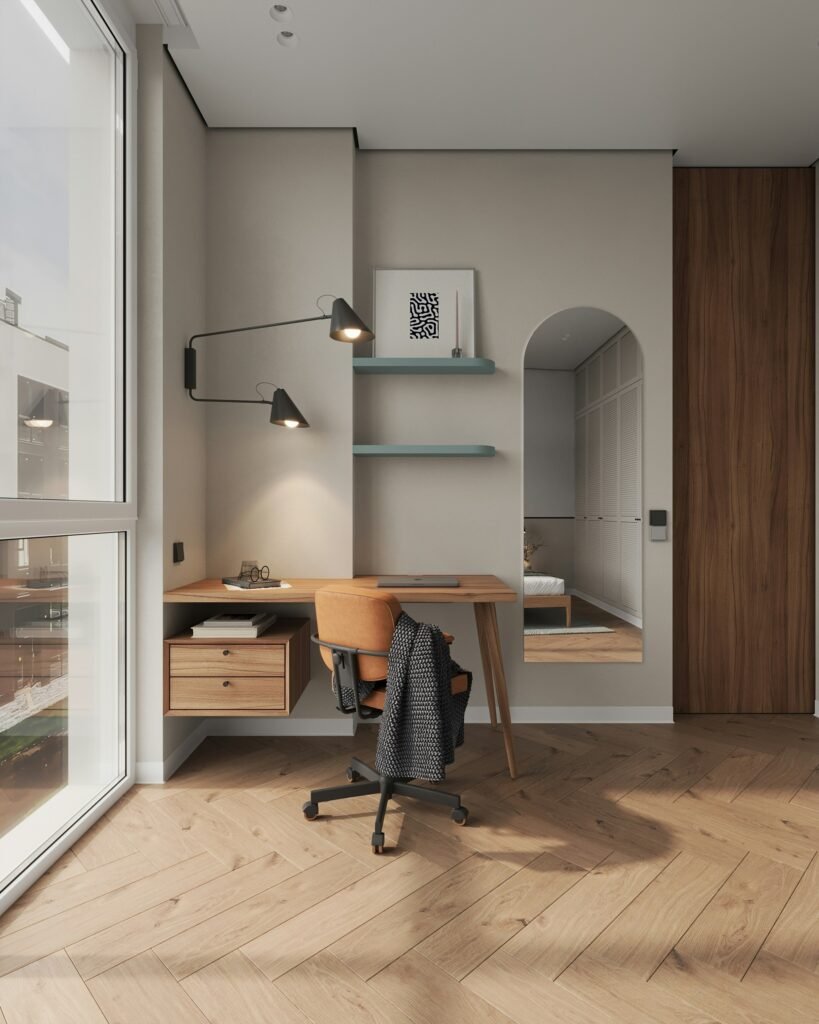
Find the position that works through the day
Before setting up your furniture, try working in the spot at your usual work times. Notice screen reflections, how close the sockets are, the noise levels, and what happens when someone opens the door. A nice window view isn’t helpful if you always have to close the blind while working.
OSHA suggests placing your screen at a right angle to the window so daylight comes from the side. They also recommend keeping the screen directly in front of you. Try this setup before deciding your desk must face the window.
If you share the room, make sure your chair isn’t in the main walkway. Pull it back as if you’re standing up, open nearby drawers, and have someone walk by. Measure the space you need to work and move, not just the size of the desk.
Our Scandinavian interior design guide looks at the bigger picture. First, plan the layout based on how you’ll use the space, then choose the finishes to bring everything together.
Choose a desk and chair as a pair
A slim wooden desk might look great, but check what’s underneath. Deep drawers or a thick apron can leave little room for your legs, and decorative crossbars can take up the space where your feet should go.
Pick a chair that adjusts well and fits you. Does it support your back? Can you sit back comfortably? Do the armrests let you reach the keyboard easily? Worry about the upholstery color later. A charcoal chair can match a dark lamp, picture frame, or cabinet handle, even if it doesn’t match the desk.
There’s no one desk height that will be right for everyone. OSHA’s workstation evaluation checklist is all about relaxed shoulders, feet that are supported and the equipment being in a position that is appropriate for the user. If raising the chair leaves your feet unsupported then a stable footrest may be of some use; you may well need to reassess the whole set-up.
When using a laptop, it’s best to have a separate keyboard and mouse so you can set the screen and typing surface at the right heights. Using just a riser will make the laptop keyboard too high.
A measured setup you can adapt
Imagine a workspace with a 120 x 70 cm desk, one monitor, a separate keyboard, and a movable lamp. These desk measurements are just examples for planning and aren’t meant as ergonomic standards or a guarantee your equipment will fit.
Place the monitor in the center, keep the mouse next to the keyboard, and leave space on one side for a notebook. Store occasional supplies nearby. Before buying, measure the monitor stand and lamp base since both need more desk depth than you might expect.
| Setup detail | Starting point | What to check while seated |
| Screen distance | OSHA gives a preferred range of 50–100 cm, approximately 20–40 inches | Read comfortably without leaning forward; enlarge text if needed. |
| Screen height | Top of screen at or slightly below eye level | Keep your head balanced; glasses may require a different position. |
| Elbow angle | Approximately 90–100 degrees in OSHA’s checklist | Keep shoulders relaxed and wrists aligned with forearms. |
| Feet | Supported by floor or stable footrest | Avoid leaving feet dangling after adjusting the chair. |
| Desk footprint | Sample: 120 cm wide × 70 cm deep | Check actual screen distance, equipment and space beneath. |
| Chair clearance | Measure with the chair pulled back | Preserve access to doors, storage and the room’s walking route. |
Use these tips as a starting point and adjust as needed. Change your position and mix computer work with other tasks. A well-arranged desk lets you move around instead of staying in one spot all day.
Bring warmth through a few substantial materials
Let the floor and desk be your palette. Honey coloured timber, warm off white walls and an oatmeal curtain. A dark desk can be very much at home against a muted green with a pale cabinet by it. Always test the samples under your own lighting.
You don’t need timber on every surface. A wood desktop, painted storage and a fabric chair is quite sufficient for a small office. One finish can be repeated where it helps to tie the room together rather than go for a full matching suite.
If you’re after darker woods and quieter furniture shapes our Japandi furniture guide has cabinets and shelving to compare. Check the interior dimensions against your folders and equipment prior to selecting storage on the basis of its appearance.
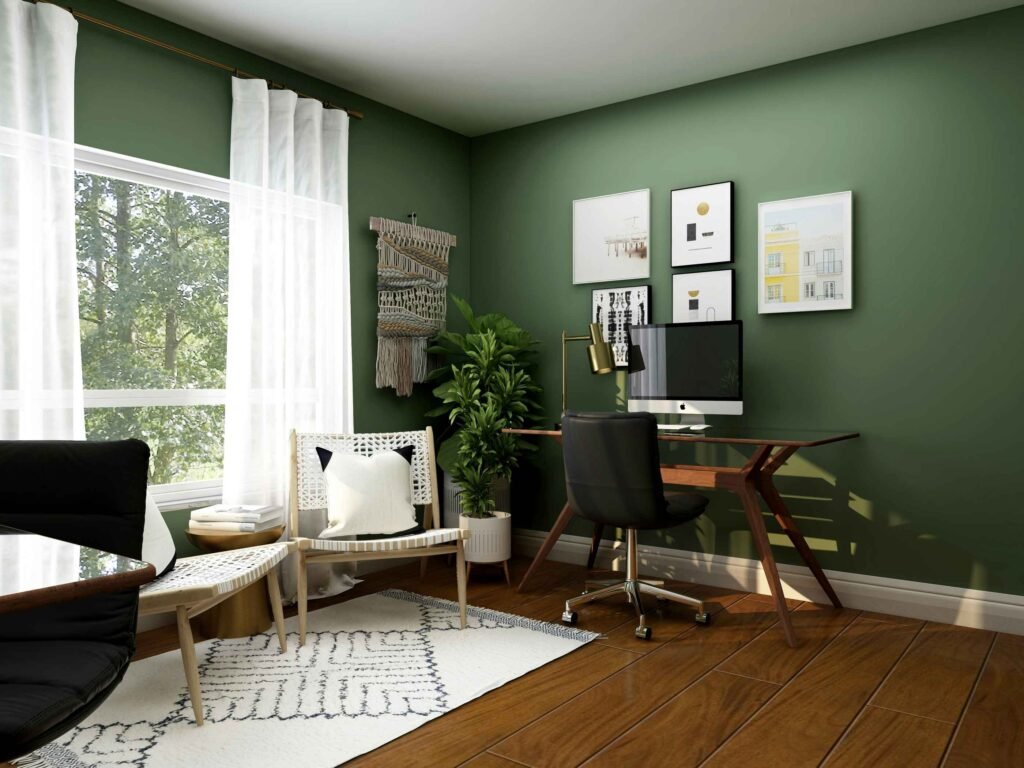
Light the work, then soften the surroundings
An adjustable desk lamp should be able to light the page without shining into your eyes or reflecting in the monitor. Move it whilst you’re sitting and check the result in the dark. You need to have sufficient background light so that you can see the rest of the room comfortably.
In a living room office coordinate the desk lamp with the ambient lighting around it rather than expecting one lamp to do it all. These Scandinavian living room ideas demonstrate how different lamps can be used for different seats and different activities.
Give unfinished work somewhere to go
Use one folder/tray for your active paperwork, a drawer for your small supplies and a drawer or two for storage of equipment you may occasionally need. Leave the space under the desk clear for your legs.
At the end of the day, leave the next task in the folder, return the mouse and keyboard to their places and clear somewhere to put tomorrow’s notebook. Keep the picture or the handmade cup that you like to look at. The desk is ready when you can just sit down and get on with it without having to move a pile first.
Sources
- OSHA: Computer Workstations — Monitors: screen distance, height, orientation and window position.
- OSHA: Computer Workstations — Evaluation Checklist: posture, chair fit, foot support, laptop peripherals and movement.

The Scandi Home editorial team researches and writes our guides to Scandinavian, Japandi and hygge interiors. Practical advice such as measurements, lighting heights and materials is based on published guidance from manufacturers and designers, with sources listed at the end of each article.